
Blog
IQOS ILUMA User Manual: A Complete Guide for New Users

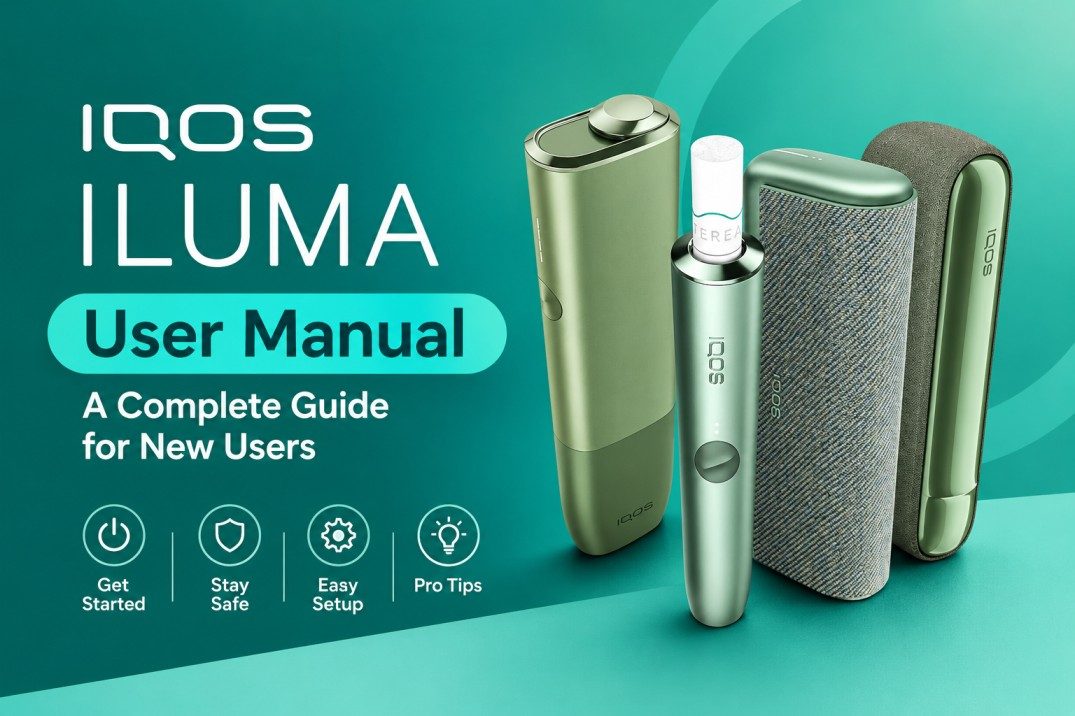
The IQOS ILUMA is a tobacco-heating device designed with modern technology, a sleek appearance, and a blade-free heating system. Unlike earlier IQOS generations, the ILUMA range uses SMARTCORE INDUCTION SYSTEM technology to heat specially designed tobacco sticks without a traditional heating blade. The device family includes several models, such as IQOS ILUMA ONE, IQOS ILUMA STANDARD, and IQOS ILUMA PRIME.
Understanding the device’s features, components, charging requirements, cleaning recommendations, and safety instructions is important before handling it. This complete guide explains the main parts of IQOS ILUMA and provides essential information for understanding its operation and maintenance.1. Understanding the IQOS ILUMA System
IQOS ILUMA uses induction-based heating technology. Instead of inserting a traditional blade into a tobacco stick, the system uses an induction heating element inside compatible tobacco sticks. One important difference is that IQOS ILUMA devices are designed for compatible SMARTCORE sticks, such as TEREA. Older HEETS tobacco sticks are not designed for the ILUMA system. The main characteristics of the ILUMA range include:- Blade-free induction heating technology.
- Compatibility with specifically designed SMARTCORE tobacco sticks.
- Modern device designs.
- Electronic charging and battery management.
- Different models for different device preferences.
2. Different IQOS ILUMA Models
Before using an IQOS ILUMA device, it is helpful to understand the differences between its available models.IQOS ILUMA ONE
The ILUMA ONE is an all-in-one device. Its holder and battery are integrated into one compact unit. It is designed around a portable format and does not require a separate pocket charger.IQOS ILUMA STANDARD
The standard ILUMA uses two main components: a pocket charger and a separate holder. The holder is removed from the charger for individual sessions and returned afterward for charging.IQOS ILUMA PRIME
The ILUMA PRIME is a premium version of the original ILUMA design. It features a distinctive exterior and a separate holder and pocket charger. Although these models have different designs, they share the same general induction-based heating concept and compatible tobacco-stick requirements.3. Main Components of IQOS ILUMA
Knowing the main components helps users understand the device’s functions.Holder
The holder is the part that receives the compatible SMARTCORE tobacco stick. It contains the electronics required for the heating process.Pocket Charger
Available with the standard and PRIME models, the pocket charger stores and recharges the holder between sessions.Charging Port
The charging port allows the device to receive electrical power. Use the charging equipment and specifications recommended by the manufacturer.Status Lights
Indicator lights communicate information about charging, battery status, and device operation. Their meanings depend on the specific model.Control Button
Depending on the model, the control button can be used to check battery information or interact with certain device functions.4. Understanding Compatible Tobacco Sticks
Compatibility is one of the most important parts of the IQOS ILUMA user manual. IQOS ILUMA is designed for compatible SMARTCORE tobacco sticks, including TEREA variants in supported markets. These sticks contain an internal metal heating element that works with the device’s induction system. Important compatibility reminders:- Use only tobacco sticks specifically designed for IQOS ILUMA.
- Do not insert HEETS sticks into an ILUMA device.
- Never attempt to modify a tobacco stick.
- Do not dismantle or damage the internal components.
- Check the packaging for model compatibility and market-specific information.
5. Understanding the Device’s Basic Operating Instructions
The manufacturer provides model-specific instructions for operating IQOS ILUMA. New owners should read the supplied manual before attempting to use their device. The following points explain the general operating process without replacing the official instructions.Check the Device
Before handling the device, inspect its exterior for visible damage. Make sure the battery and charging components are in good condition.Check Battery Status
Review the battery indicators and confirm that the device has sufficient charge according to its model-specific instructions.Check Compatibility
Confirm that the tobacco stick is specifically designed for the ILUMA system. Do not force an incompatible stick into the holder.Follow the Manufacturer’s Instructions
Follow the supplied instructions for inserting compatible tobacco sticks, starting a session, and handling the device afterward.Allow the Device to Cool
After operation, follow the manufacturer’s instructions for removing and disposing of the used tobacco stick. Avoid touching hot components.6. How to Charge IQOS ILUMA
Battery maintenance is important for electronic devices. IQOS ILUMA models have different battery arrangements, so charging instructions may vary. For better battery care, consider these points:- Use a manufacturer-approved charging adapter and cable.
- Check the charging port for dust or visible damage.
- Avoid charging the device near water.
- Do not expose the battery to extreme temperatures.
- Disconnect the charger if the device shows signs of overheating.
- Follow the recommended charging time in the official manual.
7. IQOS ILUMA Cleaning and Maintenance
One advantage of the ILUMA design is its blade-free heating system. It does not require the same routine blade cleaning associated with older IQOS devices. However, that does not mean the device should be neglected. Follow these maintenance recommendations:Keep the Exterior Clean
Use a soft, dry cloth to remove dust and fingerprints from the exterior.Avoid Water and Cleaning Liquids
Do not immerse the device in water or apply liquids directly to its openings.Check the Stick Insertion Area
Inspect the insertion area for visible debris or foreign objects. Follow the official instructions if cleaning is required.Avoid Sharp Objects
Never insert needles, metal tools, or other sharp objects into the device.Store It Properly
Keep the device in a clean, dry location away from direct sunlight and excessive heat.8. Common IQOS ILUMA Problems and Solutions
New users may encounter questions when learning about electronic device operation. Understanding basic troubleshooting precautions can help.Device Is Not Turning On
Check whether the battery is charged. Inspect the charging cable and adapter for damage. Follow the model-specific reset instructions in the official manual.Indicator Light Is Flashing
A flashing light may indicate charging activity, a battery condition, or an operating issue. The meaning depends on the indicator pattern and model.Holder Is Not Charging
For separate-holder models, check that the holder is correctly positioned inside the pocket charger. Inspect the charging contacts for visible debris or damage.Device Feels Unusually Hot
Stop using and charging the device. Allow it to cool in a safe location. Do not continue using a device with signs of battery damage or overheating.Tobacco Stick Is Difficult to Remove
Do not force it or use sharp tools. Follow the manufacturer’s removal instructions. If the problem continues, contact an authorized service provider.9. Important Safety Instructions
Electronic tobacco-heating devices contain batteries and electrical components. Proper handling is essential.- Keep the device away from children and pets.
- Do not expose it to water or excessive moisture.
- Never open, modify, or repair the battery yourself.
- Avoid using damaged charging cables.
- Do not leave the device in a hot vehicle.
- Stop using the device if it becomes swollen, damaged, or unusually hot.
- Follow local regulations for the use and disposal of tobacco products and electronic devices.
10. IQOS ILUMA Specifications Overview
The following table provides a general overview of the device family. Exact specifications depend on the model and market.| Feature | IQOS ILUMA |
|---|---|
| Brand | IQOS |
| Product Type | Tobacco-heating device |
| Heating Technology | SMARTCORE INDUCTION SYSTEM |
| Heating Method | Induction heating |
| Heating Blade | Blade-free design |
| Compatible Tobacco Sticks | Compatible SMARTCORE sticks |
| Device Models | ONE, STANDARD, PRIME |
| Charging | Rechargeable battery |
| Cleaning | No traditional blade cleaning |
| Operation | Electronic device system |