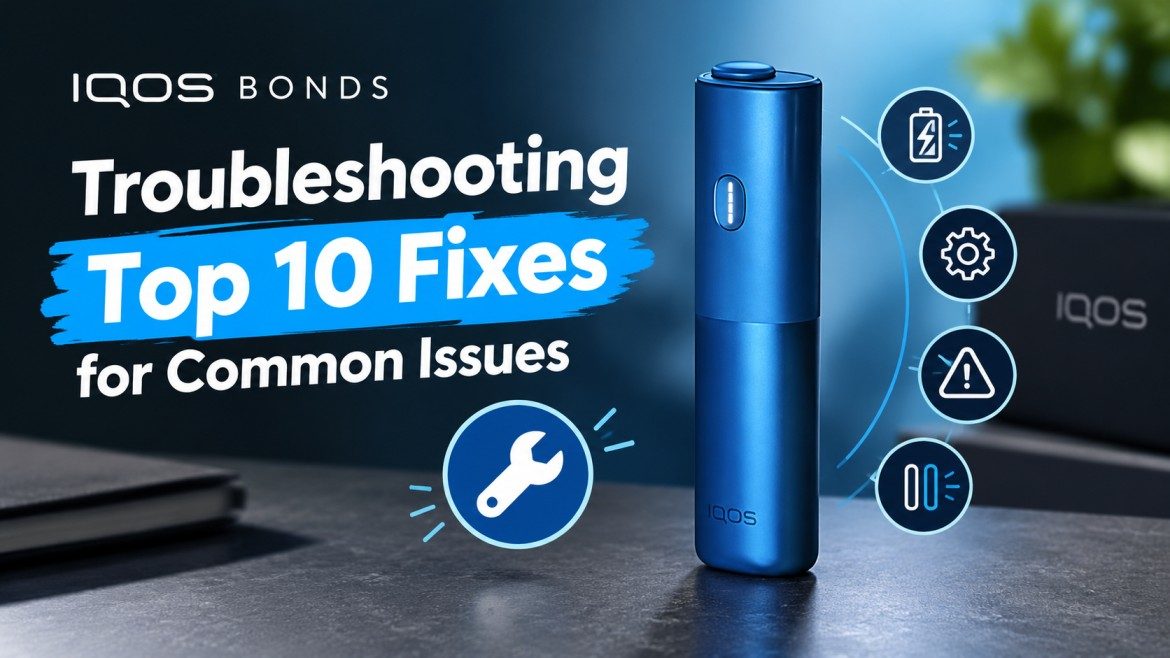
IQOS BONDS is a heated tobacco device designed to work with compatible tobacco sticks. Like other electronic tobacco devices, it may occasionally experience problems involving charging, battery performance, device connectivity, heating, or general operation.
Understanding common IQOS BONDS problems can help users recognise potential faults, follow manufacturer safety instructions, and determine when professional assistance is necessary.
Whether your IQOS BONDS is not turning on, displaying an unusual indicator, failing to charge, or experiencing inconsistent operation, this guide covers ten common issues and important troubleshooting considerations.
1. IQOS BONDS Is Not Turning On
One common issue users may encounter is a device that does not power on when the power button is pressed.
Several factors may contribute to this problem:
-
The battery may be completely discharged.
-
The device may have experienced an internal electronic fault.
-
The power button may be damaged.
-
The device may be exposed to temperatures outside its operating range.
-
The charging connection may not be working correctly.
What to check:
First, inspect the device for visible damage, unusual heating, or moisture. Check the battery indicator and charging connection according to the manufacturer’s instructions.
If the device does not respond after following the approved charging procedure, discontinue use and contact an authorised service provider.
2. IQOS BONDS Is Not Charging
Charging problems can prevent an IQOS BONDS device from operating normally.
Possible causes include:
-
A damaged charging cable.
-
-
Dust or debris around the charging port.
-
A damaged USB connection.
-
An internal battery problem.
What to check:
-
Inspect the charging cable for visible damage.
-
Examine the charging port without inserting metal objects.
-
Check whether the charging indicator responds.
-
Follow the manufacturer’s recommended charging instructions.
-
Stop charging if the device becomes unusually hot.
Avoid using incompatible charging accessories or attempting to repair the internal battery yourself.
3. IQOS BONDS Battery Drains Quickly
A battery that loses its charge unusually quickly can affect the device’s normal operation.
Possible explanations include battery ageing, repeated charging cycles, environmental temperature, or an internal battery fault.
What to check:
-
Review the battery status indicator.
-
Check whether the device has been exposed to excessive heat or cold.
-
Look for unusual battery behaviour.
-
Consider whether the device has developed a charging fault.
If battery performance deteriorates significantly, professional inspection may be necessary.
4. IQOS BONDS Is Not Heating Tobacco Properly
A heated tobacco device may sometimes fail to reach its intended operating condition.
Possible causes include:
-
An electronic malfunction.
-
-
An incompatible tobacco stick.
-
An internal heating-system fault.
-
Operation outside the recommended temperature range.
What to check:
Confirm that the tobacco consumable is specifically compatible with your IQOS BONDS model. Review the manufacturer’s operating instructions and check the device’s indicator lights.
Do not open the
IQOS device or attempt to repair its internal heating components.
If the heating problem continues, stop using the device and seek authorised technical assistance.
5. IQOS BONDS Blinking Red Light
A blinking red light generally indicates a device error or a charging problem.
Possible causes include:
-
Temporary software malfunction.
-
Internal electronic error.
-
-
Battery-related problems.
How to troubleshoot:
An official BONDS reset procedure is:
-
Make sure the device is switched on.
-
Press and hold the power button continuously for approximately 10 seconds.
-
-
Check whether the status lights restart and display the battery level.
The reset should be confirmed by the device’s indicator sequence. If the red light continues blinking, contact customer support rather than repeatedly attempting repairs.
6. IQOS BONDS Blinking Yellow or Orange Light
Yellow or orange indicator lights can signal a low battery.
When the battery level becomes low, the device may not have enough charge to operate normally.
What to check:
-
Check the battery indicator.
-
Connect the device using compatible charging accessories.
-
Allow the battery to charge.
-
Check whether the indicator changes after charging.
On supported BONDS models, three yellow or orange flashes indicate a low battery, generally below 25%.
Avoid continuing to operate the device when its battery indicator shows insufficient charge.
7. IQOS BONDS Blinking White Lights
White blinking lights can indicate that the device is outside its recommended operating temperature range.
For BONDS, the stated operating temperature range is approximately 0°C to 40°C.
This problem may occur when the device is exposed to:
-
-
-
-
Sudden temperature changes.
What to do:
Move the device to a suitable indoor environment and allow it to return naturally to the recommended temperature range.
Do not place the device in a refrigerator, freezer, or near a heater to change its temperature quickly.
8. IQOS BONDS Enters Cool-Down Mode
Some users may mistake the automatic cool-down feature for a technical problem.
BONDS devices have a built-in cooling period after three consecutive sessions.
During this period, the status lights may pulse up and down to indicate that cooling is taking place.
How to handle this issue:
-
Allow the device to cool naturally.
-
Wait approximately four minutes.
-
Avoid attempting to start another session during this period.
-
Check the status lights before further operation.
This is a normal device feature rather than necessarily a malfunction.
9. ROUNDHEAT Sticks Are Difficult to Insert
BONDS is designed for compatible ROUNDHEAT sticks. Using an incompatible tobacco consumable may cause insertion or operating problems.
Common issues include:
-
Incorrect stick orientation.
-
A damaged or deformed stick.
-
Tobacco remnants inside the device.
-
Incorrect insertion depth.
-
Attempting insertion while the device is not in the appropriate operating state.
What to check:
First, verify that the consumable is specifically compatible with your BONDS model. Examine it for visible damage and follow the manufacturer’s insertion instructions.
Never force a stick into the device.
If a stick becomes stuck, do not use sharp objects or metal tools to remove it. Seek authorised assistance if it cannot be removed safely.
10. IQOS BONDS Produces Less Aerosol Than Expected
Another issue users sometimes report is reduced aerosol production.
Potential causes include:
-
-
Incorrectly inserted consumables.
-
Damaged or deformed tobacco sticks.
-
Residue inside the device.
-
-
What to check:
Review the battery status and confirm that the consumable is compatible and undamaged.
Check the manufacturer’s instructions for the correct insertion and operating process. Do not insert cleaning tools or other objects into internal heating components unless specifically authorised by the manufacturer.
If reduced aerosol production continues, arrange a professional device inspection.
IQOS BONDS Indicator Light Troubleshooting Table
The following table summarises commonly reported indicator patterns for BONDS devices.
| Indicator |
Possible meaning |
Recommended response |
| No lights |
Device switched off or battery depleted |
Check power and charging |
| Yellow/orange flashes |
Low battery |
Charge appropriately |
| Red blinking |
Device error or slow charging |
Check charging and reset |
| White lights blinking twice |
Temperature outside operating range |
Allow natural temperature adjustment |
| Lights moving up and down |
Automatic cool-down mode |
Wait approximately 4 minutes |
Indicator patterns may vary between BONDS versions. Consult the user guide for your exact model.
Tips to Prevent Common IQOS BONDS Problems
Regular care and correct handling can help reduce avoidable device problems.
Consider these general precautions:
-
Use compatible accessories: Follow the manufacturer’s charging recommendations.
-
Avoid extreme temperatures: Keep the device within its recommended operating range.
-
Protect the charging port: Keep it free from dust, moisture, and visible contamination.
-
Inspect consumables: Avoid inserting damaged or deformed sticks.
-
Avoid physical damage: Protect the device from drops and impacts.
-
Allow cooling periods: Respect the automatic cool-down feature.
-
Follow the user guide: Avoid unapproved modifications and repair attempts.
-
Check indicator lights: Understand what the device is communicating.
-
Avoid moisture: Do not expose the electronic components to water.
-
Seek professional assistance: Contact authorised support when problems persist.
When Should You Contact IQOS Customer Support?
Not every device issue can be resolved through basic troubleshooting. Some problems may involve internal battery damage, heating-system faults, or electronic component failures.
Consider professional assistance if:
-
The device repeatedly displays a red blinking light.
-
The battery does not charge with compatible accessories.
-
The device becomes unusually hot.
-
The charging port is visibly damaged.
-
The device has been exposed to water.
-
The power button stops responding.
-
A tobacco stick becomes stuck inside the device.
Avoid dismantling the device or attempting to replace internal electronic components yourself.
Frequently Asked Questions
1. Why is my IQOS BONDS not turning on?
The battery may be depleted or the device may be switched off. Check its charging status and follow the manufacturer’s power-on instructions.
2. How do I reset IQOS BONDS?
For supported BONDS models, press and hold the power button for approximately 10 seconds, then release it. Check the indicator lights to confirm the reset.
3. What does a red blinking light mean?
It generally indicates a device error or slow charging. Check the charging accessories and follow the official reset procedure.
4. Why does my IQOS BONDS blink yellow?
A yellow or orange blinking indicator generally means the battery is low and requires charging.
5. Why does my IQOS BONDS need four minutes to cool down?
The device automatically enters cool-down mode after three consecutive sessions. The cooling period normally lasts approximately four minutes.
6. Why is my IQOS BONDS not charging?
Possible reasons include incompatible charging accessories, a dirty charging port, a depleted battery, or an internal charging fault.
7. Can I use other tobacco sticks with IQOS BONDS?
BONDS is designed for compatible ROUNDHEAT sticks. Check the manufacturer’s documentation before using any consumable.
8. What should I do if my IQOS BONDS overheats?
Stop using it and allow it to cool naturally. If overheating continues or occurs around the charging port, discontinue use and contact authorised support.
Conclusion
Troubleshooting your IQOS BONDS becomes easier when you understand its indicator lights, charging behaviour, battery status, heating system, and automatic cooling feature.
The ten common problems covered in this guide include power failures, charging difficulties, battery drainage, heating issues, blinking indicators, temperature warnings, cooling mode, consumable insertion problems, and reduced aerosol production.
Always follow the manufacturer’s instructions and avoid opening or modifying the device. If basic troubleshooting does not resolve the issue, authorised technical support is the safest option